
The office can feel like a team game when the space supports real interaction. Small design choices can help people talk more, share more, and move faster together.
Here are practical, friendly ideas you can use in real workplaces, from cozy start-ups to growing departments.
1. Neighborhood Zones That Invite Quick Conversations

Place different work areas like “neighborhoods” across the office instead of one big open sea. You might see soft seating near a window, focused desks in the middle, and a shared table close to the coffee area.
This layout makes it easier for coworkers to bump into each other at natural times. People tend to collaborate more when they know where others are heading and what vibe they will find. Start by observing foot traffic for a week, then rearrange furniture so common roles overlap in the same zones without crowding. Keep pathways wide so the space feels welcoming, not blocked.
2. Shared Tables With Flexible Seating and Surfaces

Put a few long, shared tables in high-traffic zones where groups can gather without booking a room. Choose chairs that slide easily and add comfortable stools so different people can join mid-task.
Shared tables reduce the friction of starting teamwork, especially for quick brainstorming. For practicality, keep everyday supplies nearby like markers, sticky notes, and a small bin for printed materials. Personalize the surfaces with company colors through removable mats so staff can refresh the look each season. If budget is tight, begin with one or two tables and scale up after you see how often they get used.
To match current trends, consider pairing tables with power access and small cable trays so devices stay charged. When people can plug in quickly, collaboration lasts longer. Make the height adjustable if you can, because mixed teams often include people who prefer different working postures.
3. Glass-Front Collaboration Rooms for Visibility and Focus

Use glass-front rooms for meeting spaces so the rest of the office still feels connected. You can picture clear walls that show movement and break up the feeling of long hallway isolation.
Visibility helps teams sense what’s happening, which often reduces interruptions while still building trust. Add smart privacy controls like frosted film that can switch when focus is needed. Put whiteboards on the wall so meetings end with something written down. Keep the rooms close to neighborhoods so people can step in and out easily.
For personalization, let teams choose a subtle theme for their room style, such as calm blues or warm wood accents. When people recognize “their” space, they treat it more respectfully. Cost-wise, glass systems can be staged over time by upgrading the most used rooms first.
4. Acoustic Zoning With Soft Materials and Smart Layout

Sound can make teamwork either smooth or exhausting, so plan for it on purpose. Add area rugs, fabric panels, and upholstered partitions so voices don’t bounce around the room.
When acoustics are better, people feel safer to speak and share ideas without shouting. Try placing quiet-focus desks farther from lively collaboration pockets. Involve staff in testing by having them note when noise feels worst, then adjust seating accordingly. You can also hang ceiling baffles in a pattern that fits your brand colors for a modern look.
5. Whiteboard Walls That Encourage Ongoing Team Thinking

Install wall-mounted whiteboards in places where teams naturally pass, like beside shared tables or along a hallway edge. You’ll see crisp grids of ideas, timelines, and doodles that make collaboration feel alive.
Whiteboard access keeps work moving because people can capture thoughts immediately. It also helps teams stay aligned since information is visible even when not everyone is in the same meeting. Choose boards with good erasers and durable surfaces so they stay clean and easy to use. If you want a cheaper option, start with one central board and add smaller movable sections as teams request them.
For personalization, give each group a section and a shared marker color set, so updates are quick to read. Make cleanup routines easy by placing wipes and eraser bins at reachable heights. This matches the current trend toward “always-on” communication instead of relying only on scheduled meetings.
6. Activity-Based Lighting That Matches the Work Moment

Good lighting changes how a space feels, and it can support different teamwork moods. Think of bright, even light over shared zones, softer lighting in lounge corners, and focused task lamps at workstations.
When people can see comfortably, they share ideas more confidently and collaborate longer. Use dimmers or layered lighting so teams can choose between energetic and calm atmospheres. Add warm bulbs in social areas to make conversations feel friendly. For practical setup, map your office into lighting zones and adjust based on glare and shadow patterns you notice during the day.
Cost considerations matter, so begin with the most visible problem spots like dark corners and overly bright desks. If you can, upgrade to LED fixtures for energy savings and better long-term reliability. Personalize by allowing teams to choose their own desk lamp styles within approved colors so the office stays cohesive.
7. Breakout Nooks With Comfortable Micro-Seating

Not every collaboration is a full meeting, and micro-spaces help with that. Create small nooks with two-person benches, side tables, and wall-mounted surfaces where someone can sketch an idea right away.
These nooks support teamwork by giving people a place to talk without feeling exposed. They also reduce meeting load because small decisions can happen quickly. Add power outlets nearby and keep the area clutter-free so it stays usable. To personalize, add framed team photos or rotating artwork that reflects company values.
Uniqueness can come from the details, like curved booths that feel cozy or a small shelf for shared reference books. Keep costs reasonable by using off-the-shelf benches and adding finishing touches like seat cushions. A current trend is designing for “in-between moments,” so nooks should feel easy to reach between desk neighborhoods.
Make the nooks visible but not distracting by placing them along natural walking routes. When people know they exist, they use them.
8. Collaborative Storage That Keeps Teams Organized Together

Storage is part of teamwork, because when tools are easy to find, groups can start faster. Use open shelving for shared supplies and labeled bins that make it clear where things go.
When storage is shared, it reduces time wasted searching and improves accountability across the team. Choose clear labels that are readable at a glance and include pictures for quick recognition. Add lockable cabinets for sensitive materials, but keep the most common items open and visible. For practicality, place storage near the work it supports so people don’t walk across the office to grab basics.
Personalize by letting teams decorate the outside of cabinets with magnetic photo cards, so updates feel human. Cost-wise, you can often upgrade organization with simple bins and label systems before purchasing new furniture. This approach matches the trend of designing for smooth workflows rather than just pretty rooms.
9. Standing Collaboration Ledges for Quick, Low-Formality Work

Add standing ledges or counter-height collaboration points so small groups can talk while staying light and fast. You might picture two monitors on one side, sticky notes along the edge, and a tidy surface for rapid planning.
Standing areas encourage spontaneous teamwork and can reduce the feeling of being stuck in long meetings. For practical use, keep them near project workspaces so teams can coordinate without walking far. Add cable management and a simple way to charge devices so people can move from laptop to conversation smoothly. Consider adding a few stools that support different heights for comfort.
Uniqueness shows up through materials, like reclaimed wood tops or sleek metal trims. Cost considerations can be friendly here because you can repurpose existing counters or use modular systems. Personalize with a rotating “today’s focus” card so the space feels active rather than decorative.
To keep the area from becoming messy, adopt a reset rule after team huddles. A quick wipe and straighten makes it ready for the next group.
10. Tech-Friendly Layout With Shared Charging and Easy Display

Teamwork depends on technology that works without drama. Plan for shared charging stations, multiple outlets, and simple ways to connect laptops to screens in common areas.
When tech is convenient, people collaborate more because it feels safe to bring ideas. Use standardized cables and keep them in clearly marked places so teams do not waste time hunting for adapters. If you have video calls often, place cameras and microphones in collaboration spaces at heights that capture people clearly. That way, hybrid meetings feel fair for remote coworkers.
Current trends favor simplified plug-and-play setups, and you can get that feel without high spending. Start with one tech-ready room and two display-capable zones, then expand. Personalize the visual experience by using neutral screen backgrounds and subtle brand accents in wall frames near the controls.
Cost-wise, prioritize reliability over fancy features, since fewer failed connections help teams trust the space. Include a small labeled checklist posted near equipment so anyone can run basic steps.
11. Maker Corners With Tools for Prototypes and Shared Learning

Give teams a place to build, test, and learn, even if they mostly do digital work. A maker corner can include a small workbench, a rolling cart with supplies, and a wall for sample boards.
When people can prototype quickly, collaboration becomes more practical and less abstract. Add a space where teams can pin printed drafts, fabric swatches, or product mockups so everyone sees the same direction. Keep the environment safe and organized with labeled containers and clear storage for blades or soldering tools if needed. For practical tips, set office hours for tool checkouts so the area stays maintained.
Uniqueness can shine through in the selection of materials and the way you display works-in-progress. Personalize by letting each team contribute one “signature tool” or sample to the shared board, so the space tells your story. Cost considerations are manageable because you can begin with basic craft supplies and a durable cutting mat.
12. Outdoor or Window-Adjacency Spaces for Social Bonding

Use windows or nearby outdoor access to create a light, friendly gathering spot. Even a small terrace nook, an indoor plant-lined corner, or a bench by daylight can make people want to talk.
Social bonding helps teamwork because trust grows in casual moments, not only during project deadlines. Add comfy seating and a small table for drinks so breaks feel like part of the workday rather than an escape. For practical use, place these spaces close to collaboration neighborhoods so people can mingle without long walks. Personalize with local art, planters, and seasonal touches like simple greenery arrangements.
Current trends show more workplaces adding biophilic elements because nature cues reduce stress and improve mood. Cost considerations can be flexible, since plants and smart planters often cost less than major renovations. Keep surfaces easy to clean and choose fabrics that can handle frequent light use.
If outdoor space is limited, use window light plus mirrors and warm lighting to mimic an open, airy feeling.
13. Team-Driven Rules for Space Use That Keep It Healthy
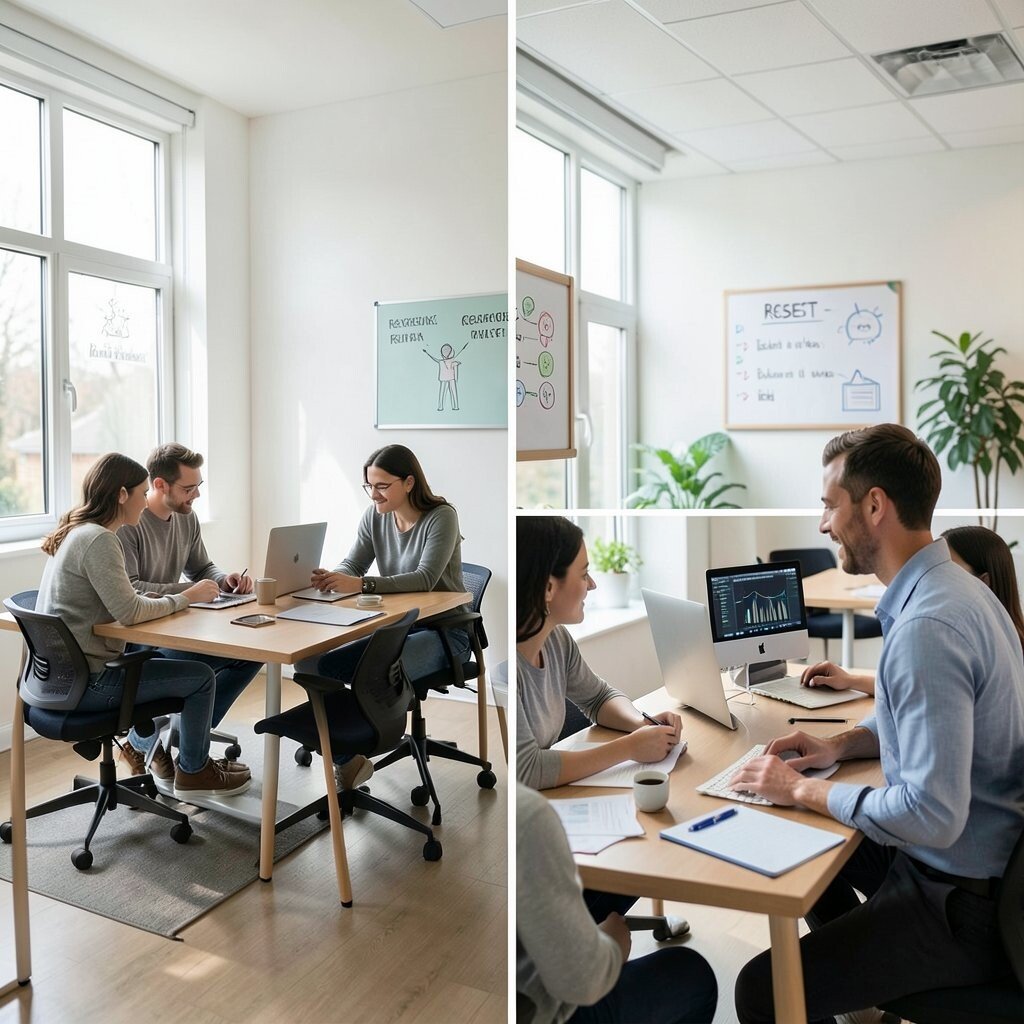
Design is only half the story, and the other half is how people use it together. Create simple, shared guidelines for noise levels, reservation habits, and cleanup routines in collaboration zones.
When rules are clear and fair, teamwork improves because expectations feel shared rather than forced. Hold a quick workshop where teams suggest what should happen in each area, then refine the plan together. Add signage that is friendly and minimal so it reminds people without sounding strict. Practical tips include setting timers for meeting rooms and creating a “reset” checklist for shared boards and tables.
Personalization can be built in by letting each team choose their preferred tone for reminders, like playful icons or calm wording. Cost considerations stay low because the biggest changes come from communication and habits. Uniqueness grows from the culture you build, so the space starts reflecting how your team works, not just how it looks.
This also fits current trends toward flexible, user-led workplace management rather than one-size-fits-all office policies.
When you revisit the rules every few months, the office stays supportive as teams and projects change.